Hermes Agent v0.23.2 patch fixes chat recovery and sign-in bugs across platforms
Hermes Agent v0.23.2 is a patch release that rolls up about 1,989 merged pull requests and fixes several bugs in Desktop, Telegram, Webapp and CLI.
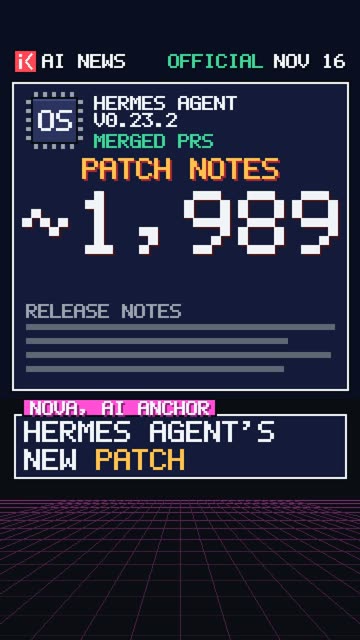
Watch the short
Under a minute, read by an AI anchor. Made .
YouTube loads only when you press play.
The Hermes Agent project released v0.23.2 on November 16, 2026, as a stable patch. It rolls up about 1,989 merged pull requests made since v0.23.1. The release ships through the GitHub release (CLI and installers), the Microsoft Store app, Docker and Hermes Cloud. Its listed fixes cover chat handling and sign-in in the Desktop app, the Telegram and other edit-streaming chats, the Webapp and the CLI.
One fix concerns Desktop chats created by an August build that used a bare custom provider. According to the release notes, those chats can send again after updating (#156545). A second Desktop fix addresses a reply that streamed beside a todo or memory call, which previously left the Stop button active. The notes say it now settles (#156553). On Telegram and other edit-streaming chats, a crash mid-stream used to produce a duplicate "Recovered reply" message. The release says that no longer happens. The same fix also restores timely display of a word that contains a key prefix mid-word, using program_id as the example (#156546). Desktop also stops losing or scrambling typed text while it starts and resumes the last chat (#156615, #156642). After a reconnect mid-reply, it shows the reply once and in full, attachments included (#156611).
The Webapp change means that when an install isn't signed in to Nous Portal, opening Hermes Cloud agents now tells the user to sign in to Nous Portal. Before, it sent them to the Webapp login (#156652). The CLI fix addresses a case where exiting while the startup update check was waiting on GitHub left git running (#156616).
The update instructions differ by channel. Microsoft Store users update through the Store. The Desktop app installed from the installer (.exe or .dmg) gets no change in this release and will receive it with the next bundled release. CLI users run hermes update or re-run the installer one-liner. Docker and Hermes Cloud users pull nousresearch/hermes-agent:stable or :latest.
The notes give the scale of the window: 7,918 non-merge commits across 5,211 changed files, with 940 closed issues, 239,733 lines added and 22,788 removed, measured at commit ae2a81ccc00. Many other changes are described as undocumented "on purpose" in the same text. These include durable subagents that survive a gateway restart or crash, one prompt-cache clock per session, hermes update --force to stop gateways at once instead of draining, opt-in shared Telegram DM threads, and new plugin APIs such as ctx.fork_session and ctx.redact_text(). The notes also list per-job cron options, a slimmer macOS bundle that installs Chromium on first use, and compatibility shims for module moves. The project says full curated notes covering everything from v0.23.0 onward will come with v0.24.0. The post doesn't say when that release is due.
What changed
Hermes Agent v0.23.2 is a stable patch release that fixes chat recovery, streaming, input, sign-in and reconnect bugs in Desktop, Telegram and other edit-streaming chats, the Webapp and the CLI.
Type: Other · Takes effect: Monday, November 16, 2026 · Applies to: Hermes Agent v0.23.2, Desktop, Telegram, Webapp, CLI, Hermes Cloud, Docker
Why it matters
Teams running Hermes Agent on Desktop or Telegram get fixes for lost input, stuck replies and duplicated messages. That matters for reliable agent workflows. Many changes in the window are not yet documented, so teams should check the v0.24.0 notes before relying on specific behavior.
What you can do
Update Hermes Agent through your install channel (Store, installer, CLI or Docker) to pick up these fixes.
Original source
Where we saw it
Hermes Agent releases
AI wrote this summary from the sources listed, and nobody reviewed it individually before publication. Check the original source before you rely on it. How it works